
The Chrome Plugin That Saved Me Hours on Product Descriptions

I run a Shopify store selling custom dog accessories. It started with photos of my Kelpie, Mango, wearing bandanas I’d made for her, and somewhere between the Instagram following and the first batch of wholesale orders, it turned into a real business. Now we have a small team, a supplier relationship I’ve been building for two years, and a content problem that I didn’t fully appreciate until it started costing me actual hours.
Product descriptions. That’s the thing nobody warns you about when you start an e-commerce store. It’s not the ads, it’s not the customer service — it’s the quiet grind of writing 200 words of compelling copy for every single SKU, every variant, every new drop. And when you’re selling dog accessories, you’re not selling specs. You’re selling a feeling. The bandana isn’t a piece of cotton in a particular color — it’s the thing your dog wears in the photo you’re going to post on Saturday. The copy has to carry that.
I’d been using AI to draft product descriptions for about six months before I found the Walter Writes Chrome extension. The drafts were fine — better than starting from scratch — but they read like they came from a catalog that sells to everyone and knows no one. “Premium quality. Stylish design. Your pet will love it.” That’s not how I write. That’s not how this brand talks.
The short version for anyone trying to solve the same problem: the Walter Writes Chrome extension rewrites AI-generated text directly in your browser, including inside your Shopify product editor. You highlight the AI draft, run it through the extension, and get back copy that sounds like a person with a perspective on dogs wrote it. Installed in under two minutes, free to start, works wherever you’re already typing.
Why Product Descriptions Break Standard AI Tools
The specific challenge with e-commerce copy — and pet products especially — is that generic is a death sentence. A shopper comparing five dog bandana stores is going to buy from the one that made them feel something. If your product description sounds like it was generated by a system that’s never met a dog, you’ve already lost.
Jasper, the AI writing tool I used before, is good at a lot of things. Product descriptions were not one of them. It defaulted to features-first language: material composition, washing instructions, dimension specs. All true, all useful somewhere, none of it the hook that makes someone think “this is for my dog specifically.” I was spending more time rewriting Jasper drafts than it would’ve taken to write from scratch.
ChatGPT was better at injecting warmth but inconsistent about it. Some outputs were genuinely good. Others came back with phrases like “unleash the style potential” that I would never put on my store page. The problem with AI copy without a humanization layer is that you can’t predict which version you’re going to get on any given run. That inconsistency creates its own overhead — every draft needs a full read-through before you can use it.
What the Extension Changed
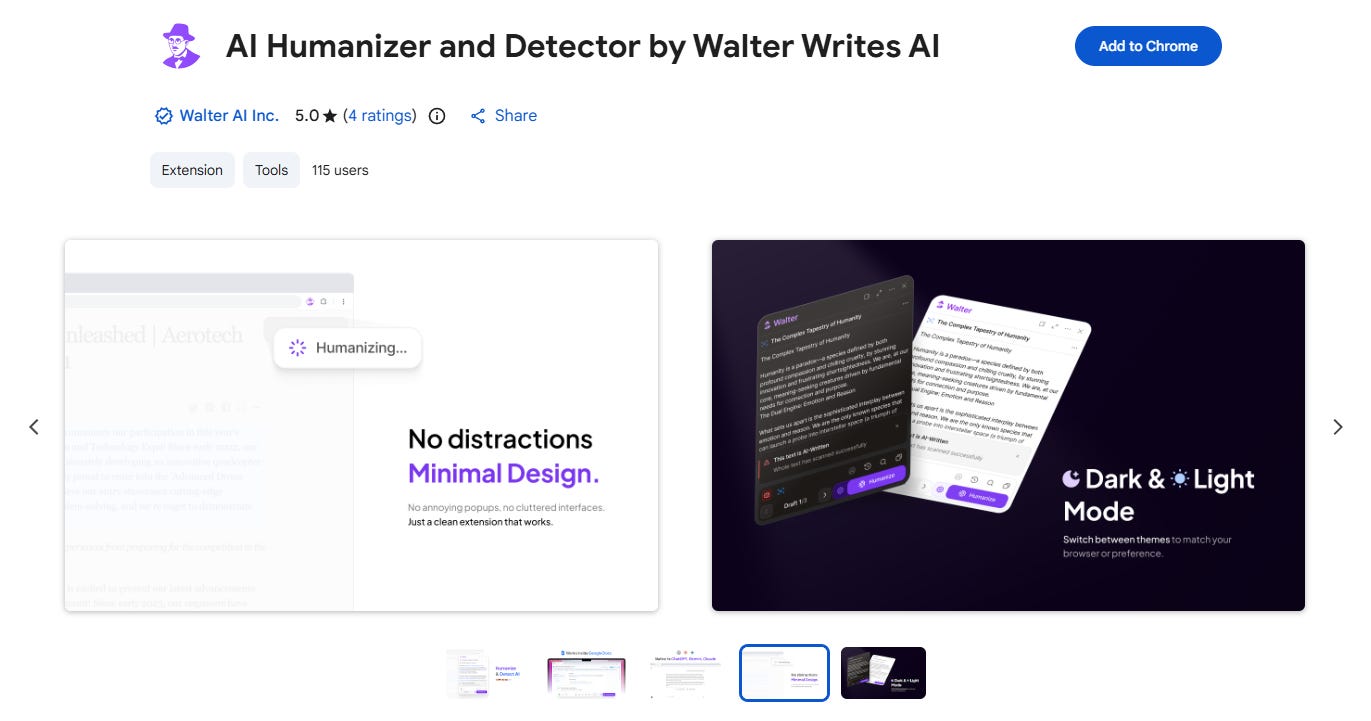
The Walter Writes extension installs in Chrome the same way any other extension does. Once it’s live, you get it in any browser tab — including inside Shopify’s product editor, which is where I do most of my description writing.
My workflow now: I generate a draft in ChatGPT with a prompt that includes the product specs, the target buyer (a dog owner who cares more about aesthetics than utility), and a line about the tone I want. Then I paste that draft into the Shopify product editor, highlight it, and run it through the Walter extension. The output comes back with the same information but in a voice that sounds like it actually came from this store — shorter sentences, more specific imagery, none of the corporate warmup language.
The time difference is honestly significant. Before this, I was spending about 20-25 minutes per product description between the AI draft and the editing pass. After adding the extension to the workflow, I’m at 8-10 minutes. Across a 30-product drop, that’s over three hours saved in a quarter where I was already stretched thin on time.
The brand voice preservation is the part I didn’t expect to care about as much as I do. Walter’s structure-level rewriting keeps the meaning and the specific details while changing how they’re delivered. The washing instructions are still in there. The dimensions are still correct. But the first two sentences now read like something I’d actually write, which is the part that determines whether someone reads the whole thing or scrolls past.
The Batch Update Use Case
The extension pays for itself most clearly during a full catalogue refresh. When I’m updating product descriptions across 40 to 50 SKUs — which happens once or twice a year when we do a significant product line refresh — the per-description time savings compound quickly.
Before I had a proper process, a full catalogue update would take a full week of evenings. Now it’s more like two or three. I batch the AI drafting first (all 40 prompts in one session), then work through the Shopify product editor highlighting and humanizing each description. The quality is consistent across the whole batch because I’m using the same settings and the same process throughout. That consistency matters — if half the descriptions sound great and half sound generic, the catalogue feels uneven.
It also means I can do more frequent, smaller updates rather than one big annual push. Seasonal descriptions, updated copy for bestsellers, new angles on existing products — those used to feel like too much work to bother with. Now they’re genuinely quick.
The Limitations Worth Knowing
It’s not a perfect tool. There are times when the humanized AI output changes phrasing I wanted to keep — a specific metaphor I’d put in the prompt, or a line I thought landed well in the original draft. I read through every output before I use it, and I probably adjust something in about a third of them. That’s still significantly less overhead than editing a full AI draft from scratch, but it’s not one-click-done.
The free tier caps at 300 words per session, which is about one full product description. For a large catalogue refresh, you’ll want a paid plan. The Starter plan is $96 a year, which is less than I spend on Shopify apps I use less often, so it wasn’t a hard decision. Your mileage may vary depending on your volume.
The extension also works better when the original AI draft is decent. If ChatGPT gives you something genuinely bad — factually wrong, structurally broken, missing the point of the product — humanizing it doesn’t fix those problems. Garbage in is still garbage out. You need a reasonable draft to start from.
Why It’s Worth Testing
Honestly, the real value isn’t time savings alone — it’s consistency. Before the extension, my product descriptions had noticeable variation in how they sounded. The ones I’d written on good days, early in a session, were strong. The ones I’d churned out at the end of a long catalogue update were noticeably weaker. The AI-plus-humanizer workflow produces a more consistent floor across the catalogue.
That matters for conversion, and it matters for brand. My store grew on authenticity. Customers come back partly because the brand has a specific personality — they know Mango, they know the story behind the store, they trust that we’re particular about how things look and sound. If half my product descriptions start reading like they came from a different store, that erodes something that took a long time to build.
Not gonna lie, I was sceptical before I tested this. I’ve tried enough tools that promised to fix the AI copy problem and didn’t really deliver. This one does what it says in the context I actually use it in. Worth the install if you’re running into the same problem.